


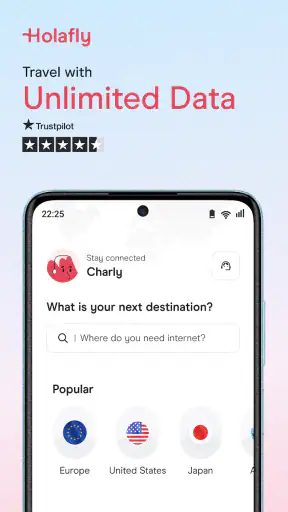
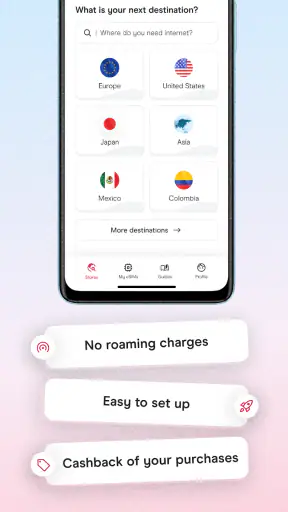
I like travel apps that remove one small but persistent problem, and mobile data is exactly that kind of problem. Landing in another country, turning off roaming, searching for airport Wi-Fi, and trying to understand a local SIM can make the first hour of a trip unnecessarily stressful. Holafly eSIM: Unlimited Data approaches that problem through a prepaid eSIM, so I can arrange connectivity before leaving and avoid handling a physical card when I arrive.
In my experience, the appeal is less about having another travel app on my phone and more about having a clear connection plan. Holafly: international eSIM is the developer behind this Travel & Local app, which is free to install and available to everyone. Its central promise is straightforward: use an eSIM for travel rather than relying on expensive roaming or finding a shop after landing.
The app has built a strong audience, with an average rating of 4.8 from around 80 thousand ratings and more than 5 million installs. Those numbers suggest that the basic idea works well for many travelers, but they do not remove the practical details that decide whether an eSIM feels effortless or confusing. The important part is knowing what to check before installation and what to troubleshoot when the connection does not appear immediately.
Where the first connection can go wrong
The most common source of frustration is usually not the purchase itself. It is the moment when a traveler expects the phone to switch automatically and nothing seems to happen. An eSIM is a digital mobile plan, but the phone still needs to recognize it, select it for mobile data, and connect through a supported network. If any of those steps are overlooked, the app can appear to have failed even when the plan is ready.
I would not wait until I am standing in an arrivals hall to do the important preparation. Airports are noisy, batteries run low, and public Wi-Fi can be slow or awkward to join. I would install the app and review the plan while I still have a dependable connection at home. That gives me time to check whether my phone supports eSIM technology and whether it is unlocked for use with another mobile provider.
That phone check matters more than many people expect. A recent-looking device is not automatically ready for every eSIM, and a phone tied to a single carrier may prevent a travel plan from working. I would also confirm that the operating system meets the app’s requirement: the current version is 4.7.0 and supports operating systems from version 10 onward. Keeping the phone updated can also reduce avoidable setup friction.
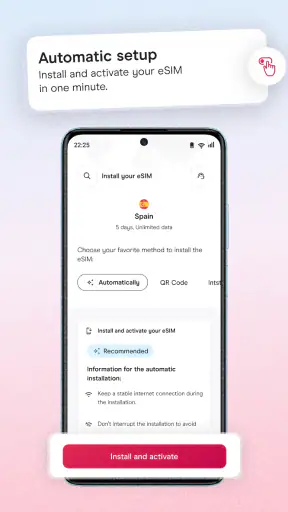
Another point that catches people out is confusing installation with activation. I can add the eSIM before traveling, but that does not necessarily mean I should use it as the active data line immediately. In a practical travel workflow, I would install it at home, label it clearly as the travel line, leave my everyday line available for calls or messages if needed, and choose the travel eSIM for mobile data once I reach the destination.
The safest preparation is to separate “installing the eSIM” from “using it for data.” That distinction helps prevent accidental roaming on the regular line and makes it easier to identify where a problem is occurring. If the eSIM is visible in the phone’s settings but data is not working, the issue is probably selection or network registration rather than installation.
Checks I make before leaving home
I start by confirming that the phone actually offers an eSIM option in its mobile or cellular settings. I then check whether the device is unlocked. These are simple checks, but they are more useful than repeatedly reinstalling an app when the hardware or carrier restriction is the real obstacle.
Next, I make sure I can access the account and any purchase details without depending on the destination network. I keep the phone charged, save the relevant instructions where I can reach them, and take a screenshot of important information if the app presents something I may need during setup. I do not treat a screenshot as a replacement for the app, but it can be helpful when airport connectivity is unreliable.
I also decide in advance which line will handle mobile data. On a dual-line phone, leaving the home SIM selected for data can make the Holafly plan look inactive. I would turn off automatic switching between lines if the phone offers that option, because automatic behavior is convenient at home but less reassuring when roaming charges are a concern.
There is a useful distinction between needing data and needing a local phone number. Holafly’s travel eSIM is best suited to internet access: maps, translation, ride-booking, messaging, email, and similar tasks. Someone who must receive ordinary calls or texts through a local number may prefer a traditional local SIM or a carrier plan that explicitly includes that function. I would make that decision before buying rather than discovering the difference after arrival.
How I would handle the setup
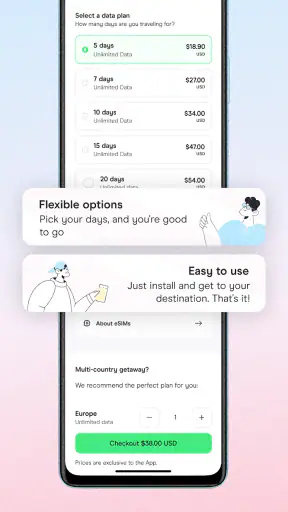
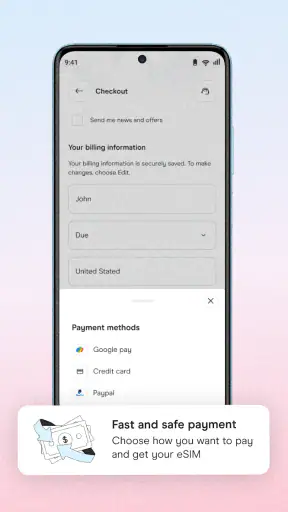
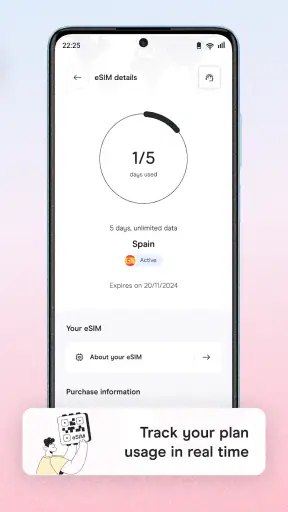
I would use the app to choose the destination and plan that fits the trip, then follow the phone’s eSIM installation flow carefully. I would avoid deleting my regular SIM during the process. Keeping the usual line installed gives me a fallback for account verification and personal communication, while the travel eSIM handles data when selected.
After installation, I would give the travel line a recognizable name. This sounds minor, but labels such as “Home” and “Travel data” are much easier to interpret than two carrier names that look similar. Clear labels reduce the chance of choosing the wrong line in a tired moment after a flight.
Once I arrive, I would select the Holafly line for mobile data and check the phone’s data-roaming setting for that line if the setup instructions require it. I would avoid changing unrelated network settings at random. A controlled sequence is easier to reverse: select the travel line, check the relevant data setting, wait briefly for registration, and then test a simple webpage or map.
I would also keep the home line from becoming the accidental data connection. Depending on the phone, that may mean disabling mobile data on the home line or turning off data switching. The exact menu names vary between Android and iOS devices, so I would follow the labels shown by my own phone instead of assuming every handset behaves identically.
Recovering the workflow when data does not appear
If the eSIM is installed but the phone shows no internet, I would first check the basics in a fixed order. Is the travel line turned on? Is it selected for mobile data? Is airplane mode disabled? Does the status bar show a network connection, or only the presence of the eSIM? These questions quickly separate a selection problem from a coverage problem.
I would then move to a simple refresh. Turning airplane mode on briefly and then off can prompt the phone to search for a network again. Restarting the device is another reasonable step, especially after installing the eSIM while the phone was already active. I would not repeatedly remove and reinstall the eSIM, because that can make the situation harder to understand and may remove a working configuration.
If the phone connects to a network but apps still cannot load, I would check whether the travel line is genuinely the data line. This is one of the most practical troubleshooting steps because a phone can display signal while quietly routing data through the wrong SIM. I would also test with a lightweight webpage rather than opening several demanding apps at once.
Network selection can sometimes be relevant when automatic registration does not complete. I would try automatic selection first, wait a little, and only consider manual selection if the app’s instructions or the phone’s behavior points in that direction. Choosing random networks from a list is not a reliable fix and can create another layer of confusion.
When a setup screen asks for a network setting, I would copy it exactly rather than retyping from memory. Small errors in an access point name or similar field can stop data from working. I would also check for extra spaces and make sure the setting is attached to the travel eSIM, not the home line. These are mundane details, but they are the kind of details that explain many “installed but offline” situations.
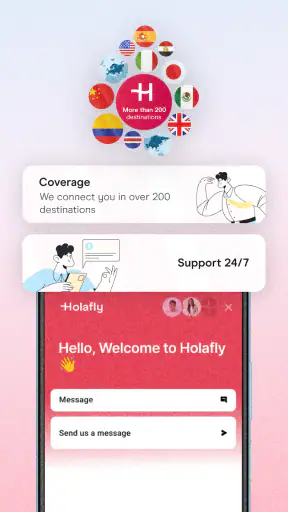
If the connection works briefly and then stops, I would consider whether the phone has switched lines, lost registration, or moved into an area with weak coverage. I would refresh the connection before changing configuration. If the issue continues, I would use the support route available through Holafly rather than guessing at advanced settings. A support request is more useful when it includes the phone model, destination, visible network status, and the steps already tried.
What I would not blame on the app
Not every failed connection is caused by Holafly. A phone can be incompatible, carrier-locked, out of date, or configured to keep using another SIM for data. A destination can also have weak coverage in a tunnel, rural area, basement, or crowded venue. Even a correctly installed eSIM cannot create a signal where the underlying mobile network is unavailable.
Temporary congestion is another factor. A connection that works in the hotel but struggles at a packed event may reflect local network conditions rather than a defective installation. I would test in a different location before concluding that the plan is unusable. Similarly, a phone that has been heavily customized with battery-saving or network-management tools may delay background activity, making the connection seem less responsive than it actually is.
There is also a difference between internet access and app-specific behavior. Maps may need time to load large areas, video calls are more sensitive to network quality, and some services may behave differently when the user is abroad. I would test ordinary browsing and messaging first, then judge more demanding uses. For navigation, I would download important map areas in advance whenever the service supports it; that is good travel planning regardless of the eSIM provider.
Everyday situations where it earns its place
Imagine arriving early in the morning after a long flight. I need a ride, the hotel address, and a translation tool, but the airport Wi-Fi requires a registration page that will not load. With the travel eSIM already installed and selected, I can open the required apps without searching for a kiosk or handing over my passport to buy a physical card. That is the kind of small convenience I value most.
It is also useful for a short multi-city trip where I do not want to compare local SIM shops in every stop. A prepaid travel plan keeps the connectivity decision in one workflow. I can use messaging to coordinate with companions, check train information, and look up opening hours without constantly wondering whether my home carrier is charging roaming fees.
For remote workers, the benefit is more conditional. The eSIM can provide a convenient connection for email, cloud tools, and occasional calls through internet services, but I would not treat any mobile plan as a guaranteed replacement for fixed broadband. If a meeting is critical, I would arrange a backup location or connection. Travel data is valuable for mobility, not a promise that every video call will be perfect.
Families should think about device management before choosing it. One traveler may have the eSIM while the others use Wi-Fi or a hotspot, but hotspot behavior and sharing options depend on the phone and plan configuration. I would not assume that one purchase automatically solves connectivity for a whole group. If several people need dependable independent data, each device may require its own compatible arrangement.
Where a different option may be better
I would choose a local physical SIM when I need a local number, want to visit a shop for hands-on help, or plan to stay long enough that a local carrier’s offers make more sense. A regular carrier roaming package may be easier for someone who wants one bill, familiar support, and no eSIM setup at all. The convenience of Holafly is strongest for travelers who prioritize quick internet access and do not mind managing a second digital line.
I would also hesitate if my phone is older, locked, or shared with someone who is uncomfortable changing cellular settings. In that situation, the supposedly simpler digital option can become more stressful than buying a physical SIM with assistance. The app is not a substitute for device compatibility, and its free download should not be mistaken for the travel plan itself being free.
Privacy-conscious travelers may appreciate avoiding a shop visit, while others may prefer speaking with a local provider in person. Neither preference is wrong. I see Holafly as a practical middle ground: more convenient than searching for a SIM after landing, but less universally straightforward than staying with a familiar carrier plan.
My practical verdict
After looking at the complete workflow, I think Holafly eSIM: Unlimited Data is most convincing when prepared before the trip. The app gives travelers a way to organize mobile data in advance, and the prepaid eSIM format avoids the physical handling that makes local SIM changes inconvenient. Its rating of 4.8 and audience of over 5 million installs reinforce that it has broad appeal, although my decision would still depend on phone compatibility and the kind of connectivity I need.
The main lesson is to treat setup as a short checklist rather than a one-tap promise. Confirm eSIM support, make sure the phone is unlocked, install while connected to reliable Wi-Fi, label the travel line, choose it for data at the destination, and prevent automatic switching to the home SIM. If something fails, refresh the network and verify the selected line before changing deeper settings.
Holafly is a good fit for tourists, short-term visitors, and mobile travelers who mainly need internet for maps, messages, translation, bookings, and everyday browsing. It is less suitable for anyone who needs a local number, guaranteed high-capacity connectivity for professional work, or the reassurance of in-person setup. I would recommend it to a friend who wants to avoid airport SIM shopping, but I would also tell that friend to complete the installation before departure and keep a simple backup plan.
As a free Travel & Local app rated for everyone, it is easy to try and understand at a basic level. The real value appears when the digital plan is paired with careful phone settings. For me, the strongest reason to use it is preparation: arrive connected, know which line is active, and troubleshoot methodically instead of guessing.


